
Existing Patients can log in using the same email and password they use for the portal. New Patients can register.
Communication Guidelines: Portal messages and requests may take up to 48 hours for a response. If it is urgent please call the office or go to the nearest emergency room.

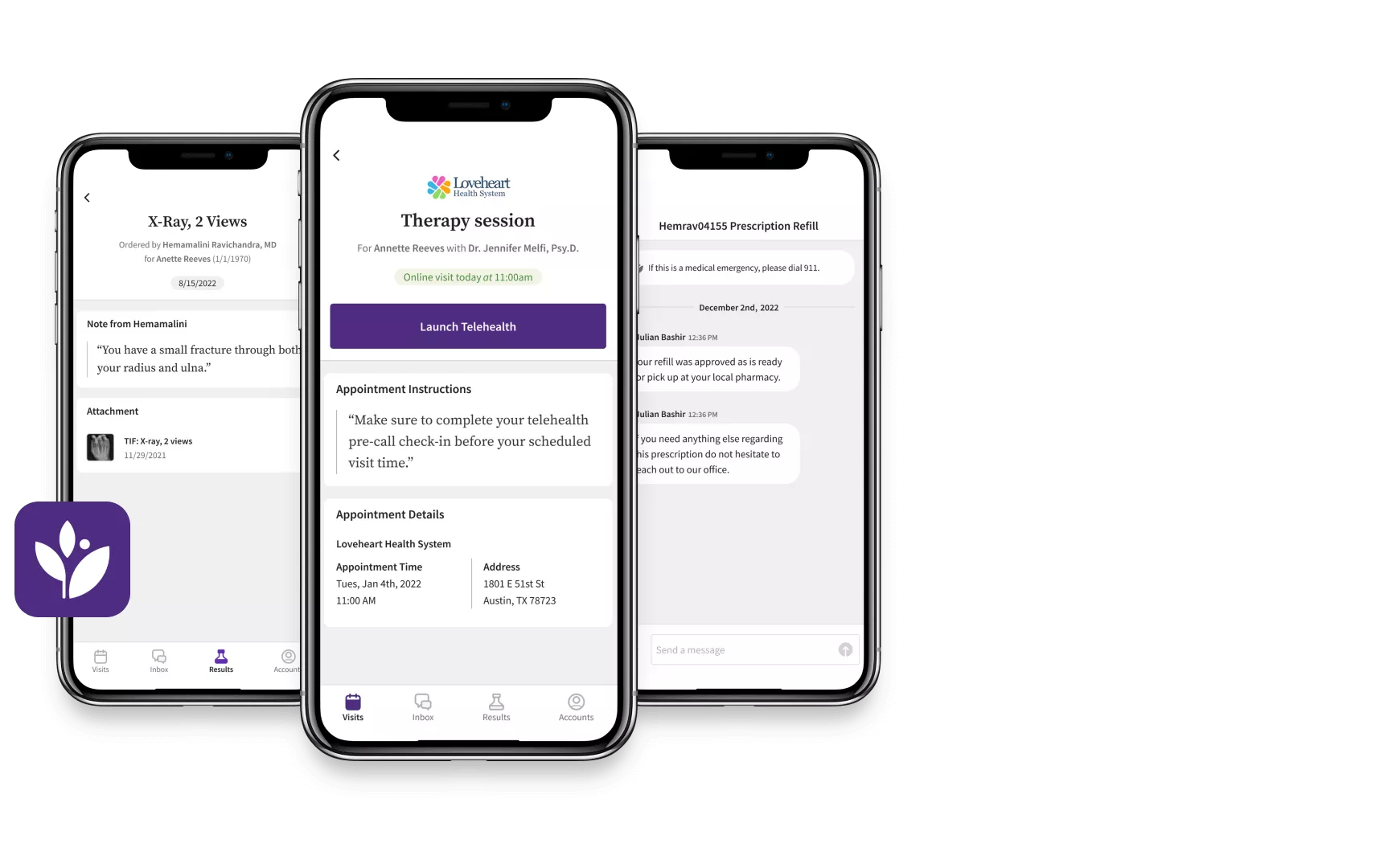
Manage your healthcare anytime, anywhere with athenaPatient™
Meet athenaPatient, the free app that allows you to use your mobile device to:
• Access your personal health information
• Securely message your care team
• View upcoming appointments
• Self-schedule your appointments
• And more


Patient Portal FAQs
Find answers to common questions about using our patient portal.
How do I access the patient portal?
You can access the patient portal by visiting the website or clicking on the ‘Patient Login’ Button.
What if I forget my password?
If you forget your password, click on the ‘Forgot Password’ link on the login page to reset it. Follow the instructions sent to your registered email.
Can I view my medical records online?
Yes, you can view your medical records, including visit summaries and test results, through the patient portal.
How do I schedule an appointment?
Appointments can be scheduled directly through the patient portal by selecting the ‘Schedule Appointment’ option.
Is my information secure on the portal?
Yes, your information is protected with advanced security measures to ensure your privacy and confidentiality.
Need More Help?
Ready to Get Started?
Access your health information and manage your appointments with ease. Log in to the Integrity Behavioral Health patient portal today or contact our support team for assistance.